
Chrome & EMV Credit Card Readers
Chrome, as a web leading browser, makes updates regularly.
We advise against an automatic update setting as a random browser updates could disrupt the POS Registered Terminal functionality. This can include EMV credit card readers or receipt printers, or both.
Updates can be made to Chrome, but performing them manually during a slow time, when possible is highly recommended. And NEVER on a Friday!
Chrome V. 145 ( & other Chromium based browsers) -
December 2025 - a new permission prompt for sites that make connections to a user's local network as part of the Local Network Access specification.
This may effect a POS Registered Terminal using a EMV Credit Card reader device with the OE RCM. (Click for more info on registered terminals)
Update settings to Address this:
Note: Making this update is an IT related decision. Internal IT departments or vendors should be responsible for making these changes.
Per Open Edges instructions provided to eCELLAR, for PCs:
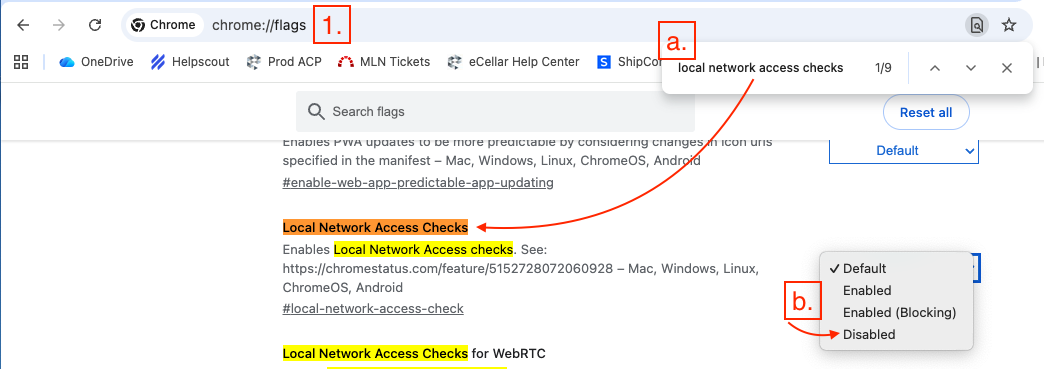
- Type into a blank URL field chrome://flags
- Search (crtl-F) for "Local Network Access Checks"
-
Change the default setting from Default to Disabled
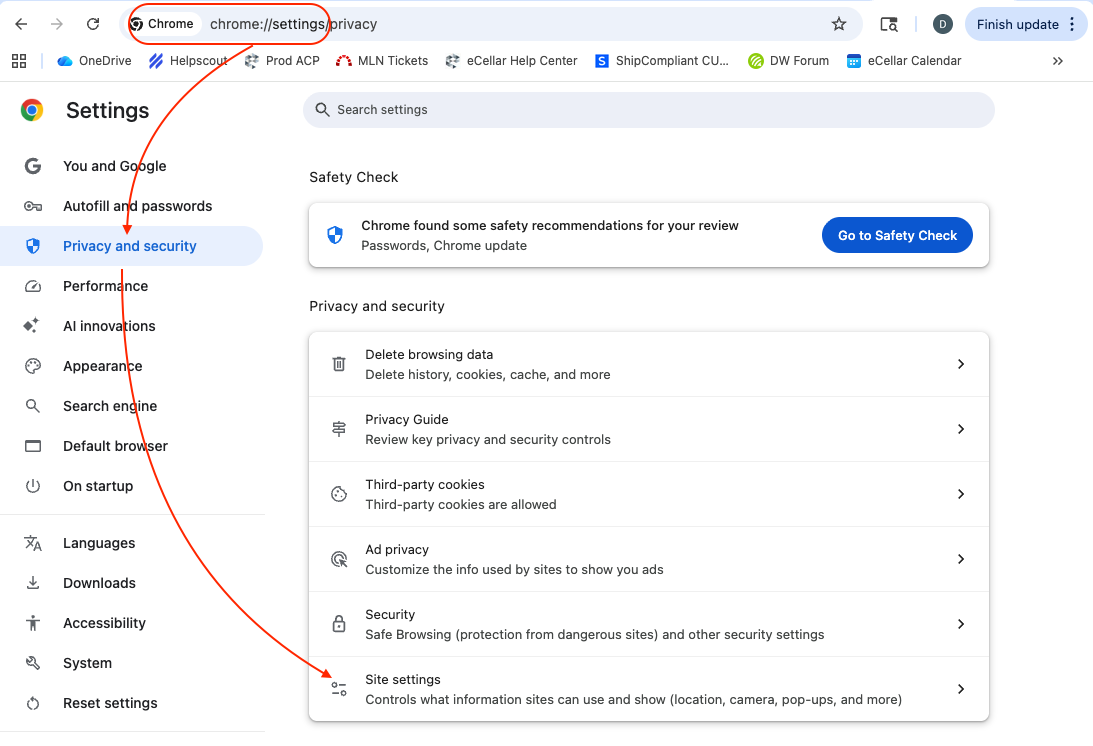
- Type into the URL field chrome://settings:
- Select Privacy and Security
-
Select Site settings
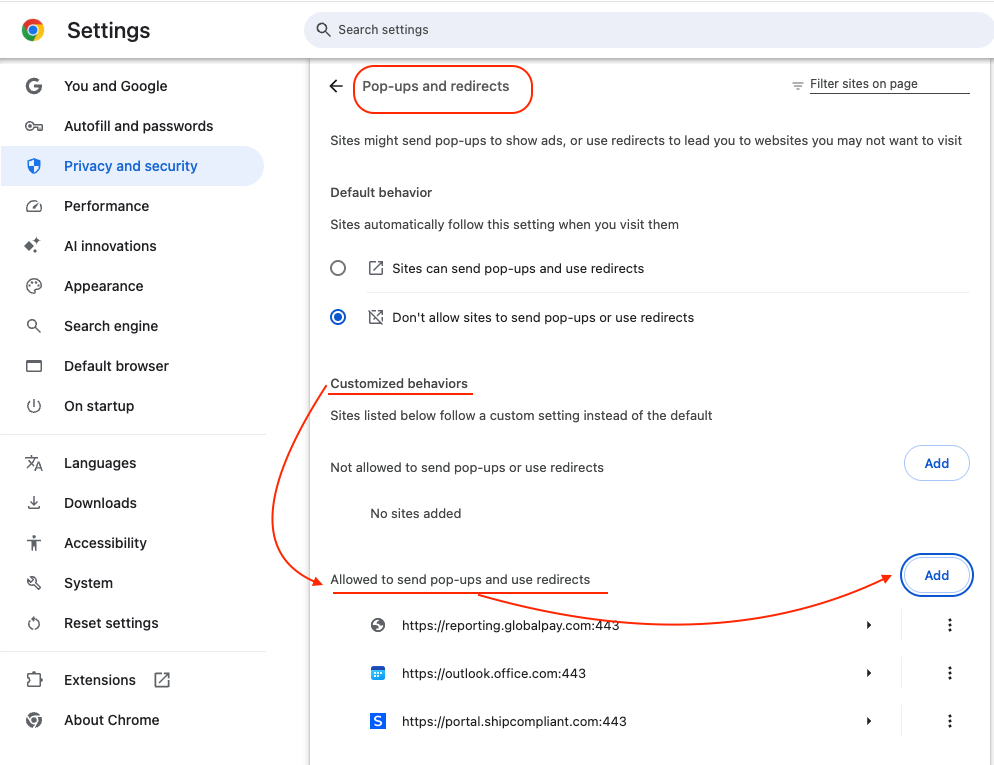
- Select Pop-ups and redirects
-
Under Customized behaviors -> Allowed to send pop-ups and use redirects click Add
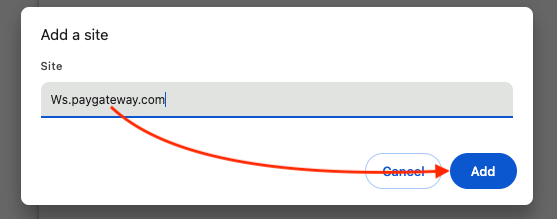
- Add the following URLs, click add after each.
NOTE: This update is the advice we received from Open Edge directly. If the above does not resolve issues you are having with a credit card reader, reach out to OE at support@openedgepay.com or call 800-774-6462.